
COCORO Guides Hub
Demo, first launch, a spoiler-light walkthrough, trophies, and a buying-minded review.
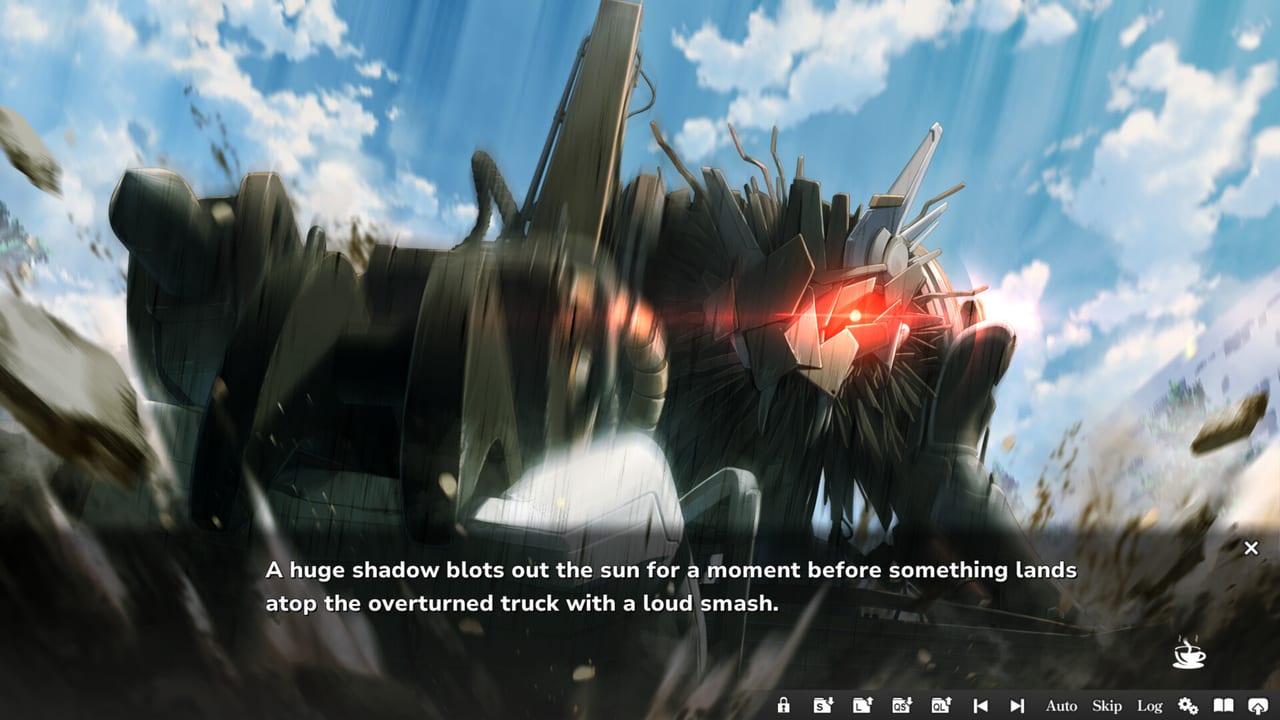
COCORO is a short, linear visual novel: one heroine, one city, and a summer spent in a ruined botanical garden. This hub is the map for how to play it well. Frontwing developed the game; Frontwing USA and GOOD SMILE COMPANY published it on 27 August 2026 JST (Steam lists 26 August in some regions) after a free Steam demo recap went live on 20 August. You do not need codes, gacha banners, extra heroine routes, or Roblox scripts. You need a comfortable UI, a save habit, and a sense of when to look something up.
Use the child pages below in order if you just installed. Skip around if chapter one is already behind you.
Start with install or the demo
If the full client is not on your machine yet, begin with the first-hour COCORO setup guide. It covers storefronts (Steam, DLsite, and DMM), Windows 11 and the 5 GB install, language packs, voice acting, Steam Cloud, and what save-anytime actually means in a kinetic novel with no timed input.
If you want to hear Hina Youmiya as Cocoro before spending $24.90 (20 percent off through 7 September 2026), follow how to download the Steam demo. The sample is Steam app 5069120; the full release is app 4650950. The demo exists to test Japanese audio against English or Chinese text, to check Steam Deck Verified reading, and to confirm the Windows 11 PC requirements on a laptop that might otherwise struggle with the install size.
Read the story without getting lost
COCORO is a single-player story centered on one heroine. VNDB voters clock a typical pass around five hours and twenty-three minutes; our playtime breakdown explains why skip-readers finish faster and auto-play readers finish slower. There is no branching route list to farm. The useful skill is pacing: when to let a garden scene breathe, when to use skip on a reread, and how chapter trophies are structured.
The spoiler-light COCORO walkthrough is written for that. It will not dump chapter plot summaries or named endings. It will tell you how to keep multiple save slots, how Steam’s twelve achievements line up with chapters 1 through 8, and how far the demo opening goes before the full garden route continues.
Keyboard, pad, and on-screen buttons live on the controls and settings page. If a name on a sprite is unfamiliar, open the Tsukumo character hub or the dedicated Cocoro (CCR-01) profile instead of searching a scene title that might spoil you.
Finish, trophies, and whether to look up endings
Steam lists twelve achievements: First Launch, Change Language, Complete Chapter 1 through Complete Chapter 8, plus two unlisted trophies this wiki does not name. Track them on the COCORO achievements checklist after you have a live save, not before you meet the cast.
Because the story is linear, endings is a spoiler-aware page rather than a flowchart. Read the endings notes without route maps only if you finished the credits or you need to know whether extra passes exist. If you are still deciding whether Asta Konno’s writing and Akio Watanabe’s designs are for you, the spoiler-aware COCORO review talks about tone, all-ages content (romance, swimsuit scenes, moderate violence), music, and who should wait for a sale. After the opening movie, the Signal soundtrack notes separate the OP, Hina Youmiya’s ending theme, and Matsumoto’s BGM from the review. A spoiler-light Tsukumo primer covers the Calamity and the garden without a finale recap. Language and audio setup is the page for Japanese voices plus English text.
Cast, tools, and launch notes
Official context for the 27 August launch sits in the launch-week recap. For trailers, the Frontwing site, and social accounts, use the official links directory. Come back to this guides index whenever a header dropdown is not enough: every child page is meant to be read in any order once you know which problem you actually have.
New players should demo or install, then read getting started, then play. Trophy hunters should keep the walkthrough next to the achievements list. Fence-sitters should read the review against playtime and system requirements. Everyone else can meet Cocoro, then let Tsukumo happen at their own click speed.
Frequently Asked Questions
Quick answers for first-time readers of COCORO.
Where should I start if I just bought COCORO?
Install from Steam, DLsite, or DMM, then follow the first-hour setup guide for language, voices, and Cloud saves. If you have not paid yet, download the Steam demo first.
Is there a demo before the $24.90 purchase?
Yes. Steam app 5069120 went live on 20 August 2026. It covers the opening so you can test UI language, Japanese audio, and Steam Deck comfort.
Does this hub spoil chapter plots or endings?
No. Child guides stay spoiler-light. The walkthrough covers reading habits and chapter trophies. Endings and the review are labeled so you can wait until after the credits.
Are there codes, scripts, or extra heroine routes?
No. COCORO is a premium linear visual novel with one heroine focus. This wiki does not list redeem codes, gacha banners, or Roblox-style scripts.
How long is the game and does it run on Steam Deck?
VNDB voters report about five hours and twenty-three minutes. Steam lists the Deck as Verified, with Cloud saves and no timed input.
Which page lists the twelve Steam achievements?
The achievements checklist names First Launch, Change Language, and Complete Chapter 1 through 8. Two trophies are unlisted; we do not invent titles for those.