
How to Play the COCORO Demo
Free Steam app 5069120: install steps, opening coverage, languages, and the jump to the full game.
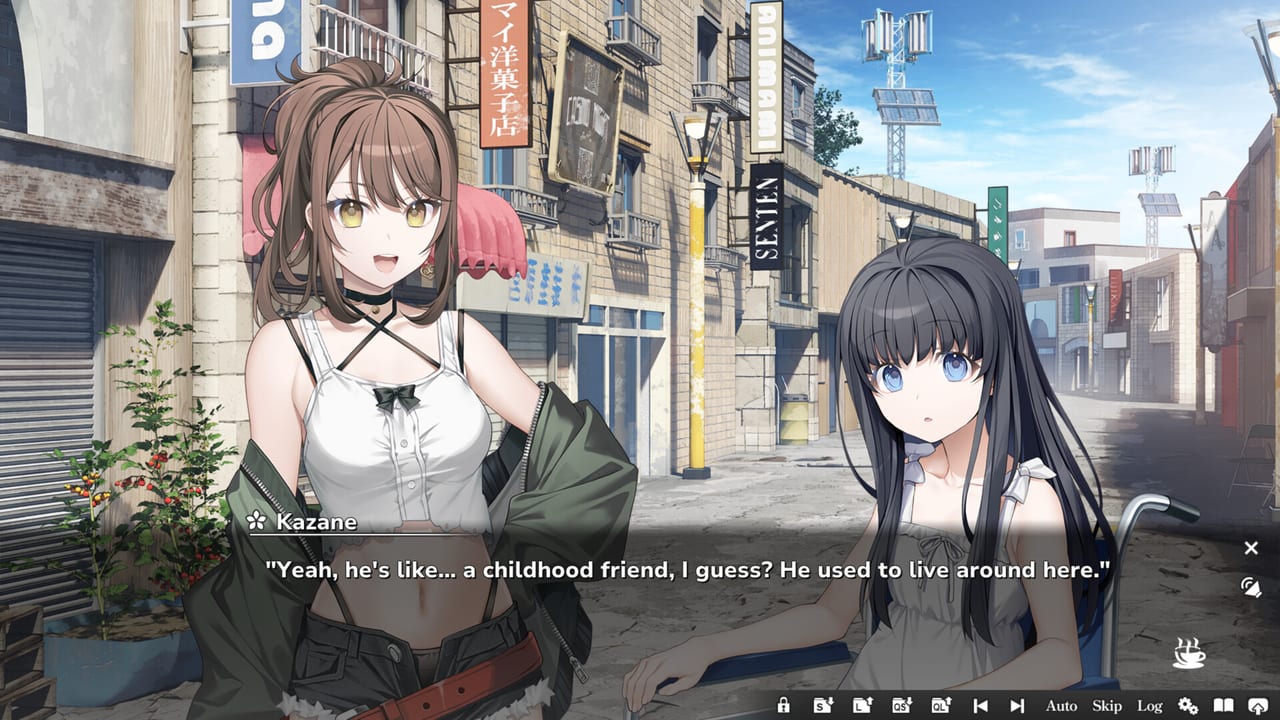
The COCORO demo is a separate Steam application (app 5069120) that Frontwing posted on 20 August 2026, one week before the full 27 August JST launch. It is free, it does not require ownership of app 4650950, and it exists so you can test language, voices, and comfort on a PC or Steam Deck before you spend $24.90. This page is the download and what-am-I-actually-playing guide, not a scene-by-scene recap.
If you already own the full novel, you can skip the sample and use the first-launch setup checklist instead. Everyone else should treat the demo as a dress rehearsal for Tsukumo.
Where to get the Steam demo
Open the Steam client, search COCORO with Frontwing as the developer, and open the store page for the full game. Steam attaches the demo to that page; use the download-demo control rather than buying immediately. You can also find app 5069120 through Steam’s demo browse lists during the launch window. After the download, the demo appears in your library as its own title. Pin it if you plan to compare Deck and desktop the same evening.
You do not need a key. You do not need to join a playtest. DLsite and DMM sell the full game, but the sample discussed here is the Steam demo. If another storefront advertises a trial, confirm the app id before you assume it is the same build.
Hardware matches the full client: Windows 11, roughly 5 GB of space, 4 GB of RAM minimum and 8 GB recommended. Check the shared PC spec sheet if you are on an older laptop, and read the Deck verification notes if you want to hold the garden in handheld mode.
Why the demo exists
Frontwing shipped a linear visual novel with full Japanese voice acting, English and Chinese text, Steam Cloud, and no timed input. A demo lets you answer practical questions that a trailer cannot: Is the font readable at your resolution? Do you want Japanese voices with English text? Does auto-play delay feel slow? Does skip accidentally eat unread lines? Those toggles are listed on the in-game controls reference.
The demo is also a taste test for tone. Asta Konno’s script and Akio Watanabe’s designs sit in an all-ages frame with romance and a ruined-utopia setting. If you bounce off the first garden conversation, the full review with buying advice will not magically change the writing. If you like Cocoro immediately, you already know more than a store description can tell you.
Settings to check before you judge the writing
Launch the demo once, then stop on the title or first save prompt. Set text language. Turn voices up if you plan to judge performances, including Hina Youmiya as Cocoro. Enable Steam Cloud on app 5069120 if you will bounce between Deck and PC. Cloud support is listed for the product family, but the demo and full game are still different apps, so do not assume a demo save unlocks later chapters in app 4650950.
Make a save as soon as the game allows. COCORO lets you save anytime in the full release; practice that muscle here. If Steam later pops First Launch or Change Language on the paid client, that is expected. The demo is not a trophy hunter’s document—keep the twelve-achievement list for the full game.
What the opening actually covers
Publicly, the demo is the opening of the story: enough to land in ruined Tsukumo, step into the abandoned botanical garden, and meet Cocoro, the CCR-01 prototype who still tends the flowers and waits for a fiancé she believes will return when the summer snows bloom. That is the same premise the heroine’s profile and the rest of the cast index describe without chapter spoilers.
We will not summarize demo-only scenes, named beats, or how the first sitting ends. If you need a reading method rather than a plot dump, the linear-VN walkthrough explains save habits, skip, and how chapters 1 through 8 line up with trophies after you buy. The demo-week news post is the date and storefront record, not a transcript.
Expect a short session compared with the full five-hour-plus route. When the sample stops, that is the pitch: continue on Steam for $24.90 (20 percent off through 7 September 2026) or walk away having spent nothing but time.
Demo versus the $24.90 full release
The full game adds the rest of the linear route, the remaining chapter trophies, the complete score (opening Signal, ending sung by Hina Youmiya), and the menus Frontwing shipped on 27 August. It does not add extra heroine routes, gacha, or live-service calendars. Read how long the full story runs if the demo felt short and you are trying to budget an evening.
Steam review scores at launch sat around 91 percent positive from a small sample of about 35 English-store reviews. Treat that as a temperature check, not a guarantee. For storefronts, trailers, and social accounts, use the official COCORO links page. For the 26 versus 27 August date split and day-one context, use the full launch recap.
If you already know you will buy
Uninstalling the demo is optional; it is a separate library entry. Buy app 4650950, launch it, and follow language, Cloud, and save setup as if the sample never existed. When you want endings information, wait until you finish—the spoiler-aware endings article is not a demo FAQ. Parent navigation remains the COCORO guides hub. Bookmark this Steam demo how-to if you are sending the sample to a friend who has not heard of Tsukumo yet.
Frequently Asked Questions
Quick answers for first-time readers of COCORO.
How do I install the COCORO Steam demo?
Open the COCORO store page in Steam, use the demo download control, and wait for app 5069120 to appear in your library. No key or playtest signup is required.
Does the demo cost money or require the full game?
No. The demo is free and separate from app 4650950. DLsite and DMM sell the full novel; the sample described here is the Steam demo.
How much of the story is in the demo?
The opening only: enough to reach the botanical garden and meet Cocoro. It is not chapters 1 through 8 and it is not a substitute for the five-hour route.
Will my demo save carry into the full game?
Treat the demo and the full game as different apps. Do not assume a 5069120 save unlocks later chapters in 4650950 until you verify that in your own library.
What settings should I test in the demo?
Text language, Japanese voices, volume, auto-play delay, skip-unread protection, font comfort, and Steam Deck controls. Save once so you can quit and resume.
When did the demo launch compared with the full game?
The demo went live on 20 August 2026. The full game launched 27 August 2026 JST, listed as 26 August on some Steam storefronts.